ePadLink - ePad Product Family Software Downloads


LATEST VERSIONS

Universal Installer 9.54

Download Universal Installer v9.54 rev. 11088

NEW! Universal Installer 9.54 provides documentation updates to UI 9.53.
UI 9.54 provides support for the recent Windows operating systems (Windows 7, Vista, Windows XP/SP2, and Windows 2003) for the following ePad models:
-ePad
-ePad II
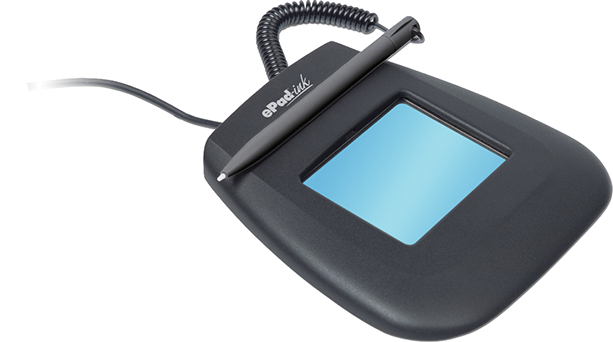
-ePad-ink
-ePad-LS
-ePad-vision

Universal Installer 9.30

If you wish to install Citrix or Terminal Service support software on your client Download Universal Installer v9.30 rev. 11014 (Citrix-Terminal Service client support)

IntegriSign Desktop 9.54

Download IntegriSign Desktop 9.54 rev. 1311

NEW! IntegriSign 9.54 provides support for Windows 7 (32 bit and 64 bit) Operating Systems and the Vista 64 bit Operating System, in addition to Windows XP and Windows 2003. IntegriSign 9.54 adds support for the 32-bit version of Microsoft Office 2010. It supports the following ePad models:
- ePad
- ePad II
- ePad-ink
- ePad LS
- ePad-vision

Note: If you have IntegriSign Desktop 9.4 or earlier installed on your computer, you must remove it (using the Add or Remove Programs Tool in the Control Panel) before installing IntegriSign Desktop 9.54. If you have IntegriSign Desktop 9.51 or later, running IntegriSign Desktop 9.54 automatically upgrades the existing version to IntegriSign Desktop 9.54.


New Feature: White Space Removal and Maximum Enlargement Factor

The newly added Signature Processing section in the "Desktop Configuration" utility lets the user enable or disable White Space Removal for signatures and, if enabled, to specify the Maximum Enlargement Factor. By default, the White Space Removal option is enabled (checked) and the Maximum Enlargement Factor is set to 1.25.

After signing on the signature pad with the White Space Removal option disabled, the signature pad sends to the PC the entire image of the drawing surface of the pad. When the White Space Removal option is enabled, the pad removes the white space around the signature drawn on the pad and sends only the rectangle that contains the signature information to the PC. Thus, when the PC displays the signature in a Signature Field in the document, the signature typically appears larger and more legible (compared to no white space removal), especially in the usual case where the Signature Field in the document is small.

The Maximum Enlargement Factor is used only in cases where the size of signature on the signature pad (after white space removal) is smaller than the size of the Signature Field in the document. When the signature drawn on the signature pad is smaller than the size of the Signature Field in the document, IntegriSign will enlarge the signature to fill the Signature Field. However, it will limit the enlargement to the value of the Maximum Enlargement Factor. This prevents the signature from looking too pixelated or jagged. For example, the default width and height of the Signature Field in IntegriSign Desktop are 180 and 110 pixels, if not changed by the user. When translated into inches, the width is 1.875 inches and the height is 1.145 inches. If the Signature Field in the document is 4.0 inches wide and 2.0 inches high, IntegriSign will enlarge the signature to fill the Signature Field, but limit the enlargement to the Maximum Enlargement Factor. If the Maximum Enlargement Factor is 1.50 then the signature in the document will be no more than 50% larger than the signature captured on the signature pad. The Maximum Enlargement factor can range between 1.0 and 2.0.

IntegriSign applies the current White Space Removal and Maximum Enlargement Factor settings set in the Desktop Configuration to all the signatures in a document signed using IntegriSign (including previously signed signatures) when the document is opened. Thus, suppose you have signed a document with White Space Removal option disabled and saved the document. Later, if you enable White Space Removal and open the previously signed document, IntegriSign applies its White Space Removal technique to the previously signed signatures. Furthermore, if IntegriSign has enlarged a signature to fill a Signature Field, it applies the Maximum Enlargement Factor as appropriate.


LEGACY SOFTWARE

Universal Installer 6.24

Download here

Readme

This version of the ePad drivers Universal Installer supports these models:

- ePad
- ePad-ink
- ePad-i.d.
- ePad-POS (reached end-of-life)

Version 6.24 also supports the older Windows 98 operating system. It is also a recommended light-weight version for ePad-ink and ePad in Citrix/Terminal Services environments. Using the latest version of Universal Installer is always recommended, unless 6.24 is required to support the environments above.

This version does not support Windows Vista, or newer ePad models. Please confirm that your ePad model is listed above before using this version.